


If your gaming PC has started running louder, dropping frames mid-match, or shutting down under load, overheating is the most likely cause. Desktop towers cool differently from laptops — they rely on case airflow and dedicated fans rather than a single sealed cooling module — so the causes and fixes are different too. If it’s a laptop you’re troubleshooting instead, see our guide on why laptops overheat and how to fix it.
Doha’s climate makes this more relevant here than in most places: the hot season runs from roughly May to September, with average highs around 41°C in peak summer. Even with air conditioning keeping a room comfortable, dust and heat still find their way into a PC’s intake fans over time.
Signs Your Gaming PC Is Overheating
- Frame rates drop noticeably during longer gaming sessions, even in games that ran smoothly before
- Fans ramp up loud and stay loud, even during lighter tasks
- Random crashes, freezes, or shutdowns under load
- Hot air noticeably blowing from the case, or the case itself feels hot to the touch
- Monitoring software (like HWMonitor or MSI Afterburner) shows CPU or GPU temperatures consistently above 80–85°C under load
Common Causes
Dust Buildup
Dust is the single most common cause of PC overheating, and it builds up faster in dry, dusty conditions than most people expect. Dust collects on intake fans, radiator fins, and heatsinks, forming an insulating layer that blocks airflow exactly where the system needs it most.
Poor Case Airflow
Not every case is built the same. Restrictive front panels, too few intake or exhaust fans, or cables blocking airflow inside the case can all trap heat even in a clean system.
Degraded Thermal Paste
The thermal paste between your CPU and its cooler dries out and cracks over time, usually after two to three years. Once it degrades, heat can’t transfer efficiently from the processor to the cooler, and temperatures climb even though the fans and cooler themselves are fine.
An Undersized Cooler for the Workload
A stock or budget cooler that was fine for light use can struggle once you start running demanding modern games for hours at a time, especially paired with a power-hungry graphics card.
Poor Placement
A tower pushed against a wall or tucked inside a closed desk cabinet has nowhere for hot exhaust air to go, so it just gets pulled back in through the intake fans.
Quick Fixes You Can Try First
- Move the case a few centimetres away from walls and out of enclosed cabinets
- Check that intake and exhaust fans are actually spinning and not clogged with dust
- Make sure no cables are blocking the main airflow path inside the case
- Close unused background programs, especially anything running in the background while gaming
When to Get Professional Cleaning & Cooling Service
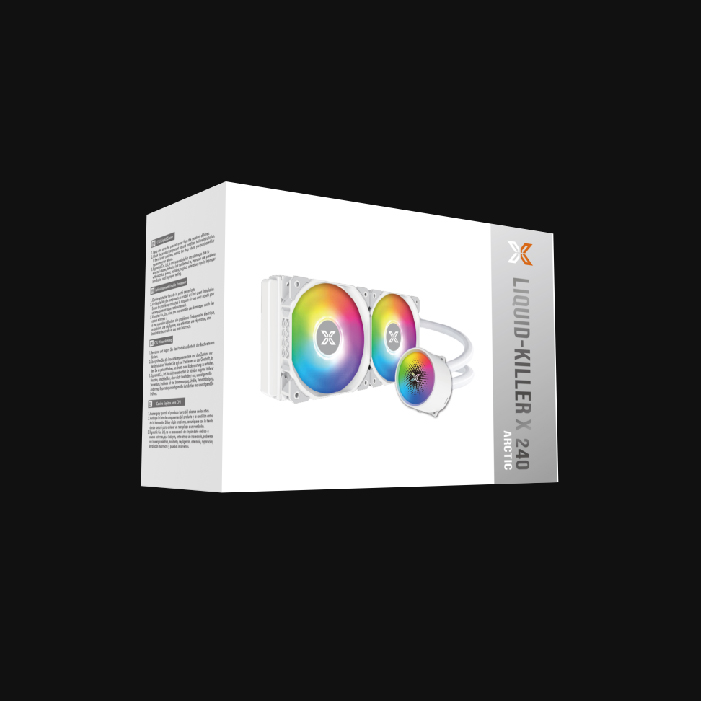
If temperatures stay high after the quick fixes, the issue is usually internal dust buildup or degraded thermal paste — both need the system opened up properly to fix. Star Pixel Mobiles offers PC cleaning and thermal paste replacement as part of our gaming PC services, with a warranty on the work. If your current cooler simply isn’t enough for your CPU or GPU anymore, we also stock air and AIO liquid CPU coolers from Xigmatek, from QAR 99, and can fit a better one during the same visit.
A case with better airflow can also make a real difference — see our current PC cases in stock.
Message Us for a Free Diagnosis
If you’re not sure whether it’s dust, thermal paste, or an undersized cooler, message Star Pixel Mobiles on WhatsApp — we’ll help you figure out what’s actually causing it before you spend on parts you might not need. Full details on our cleaning, repair, and build services are on our Gaming PC Build & Repair page.


